What’s New in UXPin
The latest updates, features, and fixes - all in one place.
August 28, 2026
More control over how AI edits your UI, MUI 9 and more
AI
Improvement
UXPin Merge
Forge
UXPin Wire
Choose Best or Eco AI models
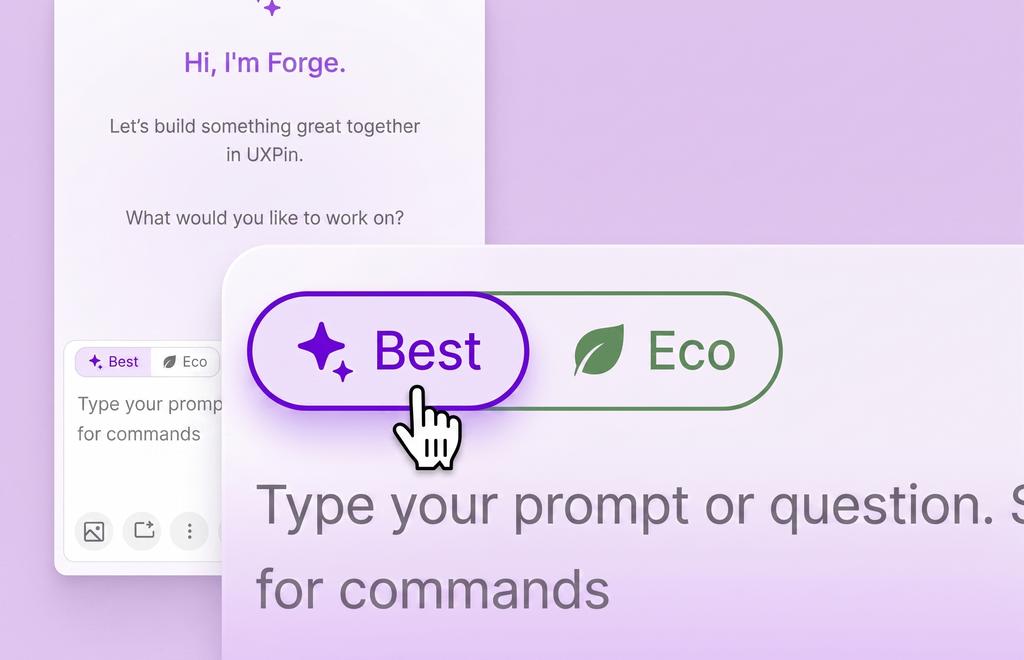
AI edits now come with a model toggle in Forge, available in both the Editor and Wire.
- Best is built for planning and complex rewrites, when you need the most capable model.
- Eco runs on a tuned lower-cost model in single-task mode, at 5-7x fewer credits than Best, with quick repairs for common broken outputs and limits that prevent accidental large rewrites.
- Set your own Best and Eco models in AI Settings. Eco selections are checked automatically to prevent a bad setup.
MUI 9 Support: More Theming Control
MUI 9 is now supported, bringing a major theming upgrade over MUI 5 and more precise control over derived colors. The editor and Wire now apply MUI 9 tokens through the Set theme tool in the properties panel or directly in your Wire app.
Improvements
- You can quickly access AI tools with slash commands. Type
/in the composer and pick a tool directly, image search, image analysis, fetch URL, instead of writing out a prompt explaining what you want. - AI replies can include suggested next steps as clickable chips.
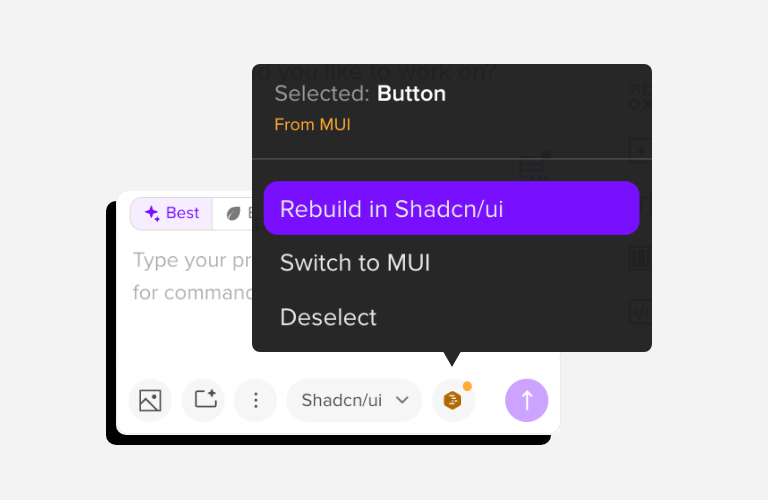
- Selecting an element now switches the AI conversation to match its library automatically. If you switch libraries yourself while an element is selected, the AI still recognizes it, and can rebuild it in the one you're working in. Click the element pill and choose "Rebuild in [library]."
Bug fixes
- Fixed stale highlights that could linger after an edit.
- Fixed an issue where AI edits could delete a root element.